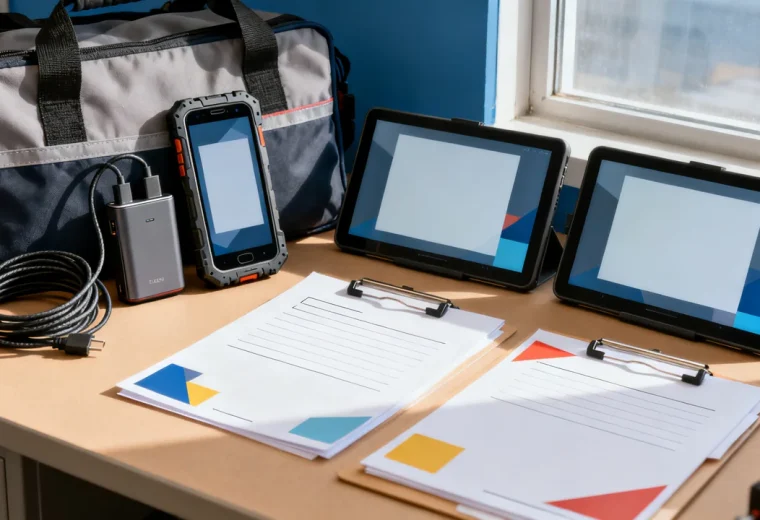
Training new field technicians on your team’s mobile field service app carries inherent risk if you use live customer data: a misclassified work note, accidental job closure, or incorrect time entry can create billing delays, customer frustration, and extra work for office teams to fix errors. A sandbox job environment—an isolated copy of your app’s workflow that doesn’t connect to live customer accounts, billing systems, or dispatch calendars—reduces exposure to live-data mistakes when its isolation is verified, while letting trainees practice the supported steps of a job from assignment to closeout, as many times as needed.
Sandbox job training works for both new hires and existing team members learning app updates, new form fields, or adjusted workflows. Unlike shadowing a senior technician, which has different supervision and live-work constraints, sandbox practice lets them make mistakes within the verified training boundaries, build muscle memory for one-handed or glove-friendly data entry, and test edge cases that rarely come up during live ride-alongs.
Define Sandbox Job Scope and Isolation Boundaries First
Before building sandbox jobs, confirm exactly what parts of your app environment the sandbox will separate from live systems to avoid accidental cross-contamination. At minimum, a valid sandbox should not sync any data entered in training to your live customer database, billing module, or dispatch scheduling tool. It should also not send automated notifications to real customer phone numbers or email addresses, even if a trainee enters a real contact by mistake.
Include inventory, payroll, outbound email and SMS, webhooks, analytics and other integrations in the boundary check. Use controlled test destinations and test credentials. A successful save inside the training app does not prove that no production side effect occurred; verify the connected systems and outbound logs before granting trainee access.
Dedicated test environments vary by product and plan. A dummy customer in the live system is not an isolated sandbox: it may still affect reports, inventory, payroll, integrations or external messages. If a supported separate environment is unavailable, use a vendor-approved demo or an offline form simulation for the relevant training steps. Do not assume a label or per-customer notification switch blocks every downstream action.
Map the specific workflows your training needs to cover, so you only build relevant sandbox job templates. Common workflows include: accepting a job assignment, adding time entries for travel and service work, uploading photos of equipment, submitting parts requests, collecting customer acknowledgment signatures (signature functionality and export capabilities are vendor-dependent, so test these features in your sandbox first), and marking a job complete. If you are training for a specific workflow update (such as new barcode scanning steps for equipment identification), you can narrow the sandbox scope to only that sequence instead of a full end-to-end job.
Build Realistic Sandbox Job Templates
Generic test jobs with random details do not prepare technicians for real work, so build sandbox templates that match the exact job types your team handles, with realistic fake data that mirrors what trainees will see on live assignments. For each job type you support (residential HVAC repair, commercial plumbing maintenance, etc.), create a dedicated sandbox template with consistent, plausible details:
- Dummy customer name, address, and contact information (use only approved test destinations controlled by your operations team; a randomly invented number may belong to someone, so you can test notification flows if needed without contacting real people)
- Realistic job descriptions (e.g., “Customer reports AC unit blowing warm air; previous service record notes filter replacement 6 months prior”)
- Pre-populated equipment details that match assets your team regularly services, including fake serial numbers for barcode scanning practice
- Required form fields that exactly match live job forms, including mandatory photo uploads, service checklists, and notes fields
- Pre-loaded parts inventory that matches your current stock list, so technicians can practice submitting accurate parts requests
For each template, build 2-3 variation jobs with minor edge cases: a job that requires a follow-up assignment, a job where the customer requests additional work mid-service, or a job where uploaded photos fail to sync initially. These variations let trainees practice problem-solving without putting live customer work at risk.
Illustrative Example: Residential HVAC Sandbox Job Sequence
This assumed example outlines a 4-step end-to-end sandbox training sequence for a new residential HVAC technician, with no real customer data used:
- Dispatch assigns the sandbox job “1234-TRAIN: HVAC Repair – 123 Fake St, Anytown” to the trainee’s mobile app. The job includes pre-populated notes: “Customer states training asset ASSET-TRAIN-1 has a reported issue; review the fictional prior-visit record.” A fake barcode for the unit is included in the job attachments for scanning practice.
- The trainee practices: accepting the job, adding a 20-minute travel time entry, scanning the barcode to pull up equipment details, completing the sample administrative form, uploading 3 harmless fixture images and requesting 1 unit of the nonstock training item PART-TRAIN-1. All numeric values here are illustrative assumptions for training purposes only.
- The trainee adds a 90-minute service time entry, marks the repair complete, and sends a signature request to the training team’s test phone number to simulate customer acknowledgment. They attempt to close the job without adding service notes, to practice correcting the app’s mandatory field alert.
- After syncing the app, the operations team confirms all entries are contained to the sandbox environment, no parts are deducted from live inventory, and only the intended controlled test destination receives any configured training notification. The trainee repeats the sequence 2 more times to reduce form entry time to match your team’s internal benchmarks, which you can establish by timing tenured technicians completing the same live job type.
All values in this example are assumed for training purposes, and no live customer or inventory data is affected by the practice runs.
Sandbox vs. Live Training Tradeoff Decision Table
Use this table to decide when to use sandbox training, live shadowing, or a combination of both based on the training goal:
| Training Goal | Sandbox Job Training | Live Shadowing | Combination Approach |
|---|---|---|---|
| Teach basic mobile app navigation and form entry | Useful when isolation and fixture reset behavior have been verified | Observation may provide context, but avoid learning basic controls through unsupervised live edits | Unnecessary for basic navigation |
| Practice edge cases (failed photo uploads, customer request for extra work) | Recommended; you can intentionally trigger rare scenarios that may not come up during shadowing | Not recommended; edge cases are unpredictable and may not occur during a shadow shift | Use sandbox to practice edge cases first, then review how to handle them if they occur on live jobs |
| Assess speed of form entry for common job types | Recommended; you can time repeated attempts without delaying live customer service | Not ideal; live job variables (travel delays, customer questions) skew time measurements | Use sandbox to hit speed benchmarks, then confirm speed during live shadowing |
| Teach customer communication and on-site problem-solving | Role-play can rehearse communication, while preserving the limits of a simulated interaction | Supervised observation can add real context, subject to the appropriate customer and staff permissions | Use sandbox to master app steps first, so trainees can focus on customer interaction during shadowing |
| Test workflow updates for existing technicians | Recommended; no disruption to live work, all team members can practice the new workflow on their own time | Not recommended; risks errors on live jobs while technicians learn the new steps | Use sandbox for training, then monitor first 2-3 live jobs using the new workflow to confirm compliance |
Run Structured Sandbox Training Sessions
Avoid unstructured “play around with the app” training sessions, as they waste time and miss critical workflow steps. Instead, structure each session around clear, measurable tasks that align with real job requirements. Start with a 10-minute walkthrough of the sandbox job template, pointing out where details match live job formats, and confirm the trainee understands how to tell the sandbox environment apart from the live app (some platforms label sandbox instances clearly with a banner, but you can also add a bright “TRAINING ONLY” label to the top of every sandbox job form for extra clarity).
For each practice run, give the trainee a clear set of tasks to complete, and require them to walk through their thought process as they work, so you can catch gaps in understanding early. For example, if a trainee forgets to categorize a time entry as travel vs. service work, pause the session to review how that categorization flows to billing, then have them restart that section of the job.
Include offline practice as part of the training, if your team works in areas with poor reception. Offline sync functionality varies by platform, so test this workflow in your sandbox first before running training sessions to confirm your app’s specific sync rules. To test offline functionality in the sandbox: have the trainee turn on airplane mode on their mobile device, complete all required job steps, then turn off airplane mode and sync the app. Verify that all entries sync correctly, no data is lost, and any conflicting edit alerts are handled properly.
Assess Trainee Competency Before Live Job Access
Assess the app tasks the trainee will perform, separately from the duration or competence of the technical service itself. Use the same sample form sequence when comparing performance; total live-job duration includes travel and physical work and is not a valid benchmark for app entry speed. Correct job identity, authorization, data handling and escalation should take priority over speed.
Use a consistent rubric that identifies mandatory safeguards and optional performance measures. A weighted score must not allow fast typing to compensate for sending a message to the wrong recipient, altering a live record or losing an unsynced entry. Require every critical safeguard to pass, then give specific practice on remaining usability or timing issues. Record which app version and workflow were assessed.
For existing technicians learning workflow updates, the assessment can be shorter, focusing only on the new steps: for example, if you are adding a new barcode scanning requirement for equipment identification, the assessment might only require the trainee to correctly scan a test barcode, pull up the equipment record, and add the scan to the job notes, without completing a full end-to-end job.
Maintain and Update Sandbox Jobs Over Time
Sandbox jobs become outdated if you do not update them whenever you make changes to your live app workflows, form fields, or job requirements. Schedule a quarterly review of all sandbox templates to confirm they match the current live job format: add any new mandatory fields, update the parts inventory to match current stock, and add new edge cases based on common errors your team has encountered on live jobs.
Keep a log of common live job errors (e.g., technicians forgetting to upload before and after photos, submitting parts requests without model numbers) and add those scenarios to your sandbox training library, so new hires can practice avoiding those mistakes before they work on live jobs. For example, if multiple technicians have recently submitted parts requests missing serial numbers, add a sandbox job where the trainee has to locate the serial number on the test equipment record and include it in the parts request to pass the assessment.
Retire old sandbox templates that correspond to job types your team no longer handles, to avoid confusing trainees with irrelevant workflows. If you roll out a major app update, review and update affected templates, then retest their isolation and expected results, so trainees are not practicing on outdated screens that do not match the live app.
Actionable Sandbox Training Pre-Session Checklist
Run through this checklist before every sandbox training session to avoid disruptions and ensure isolation from live data:
- Confirm the sandbox instance is fully isolated: no test entries sync to live customer records, billing, or dispatch systems, and no notifications are sent to real customer contacts
- Verify all sandbox job templates match current live job forms, including all mandatory fields, parts inventory options, and workflow steps
- Test offline sync functionality in the sandbox (if training covers offline use) to confirm entries are retained when the device is disconnected and sync correctly when reconnected, consistent with your platform’s capabilities
- Confirm the trainee’s mobile device has the correct version of the app installed, and they can distinguish the sandbox environment from the live app
- Prepare all test materials needed for the session: fake barcodes, test photos to upload, and a test phone number/email for signature requests
- Review the assessment rubric with the trainee before they start the practice run, so they understand the requirements to pass
Have a question or a correction?
Contact the editorial team